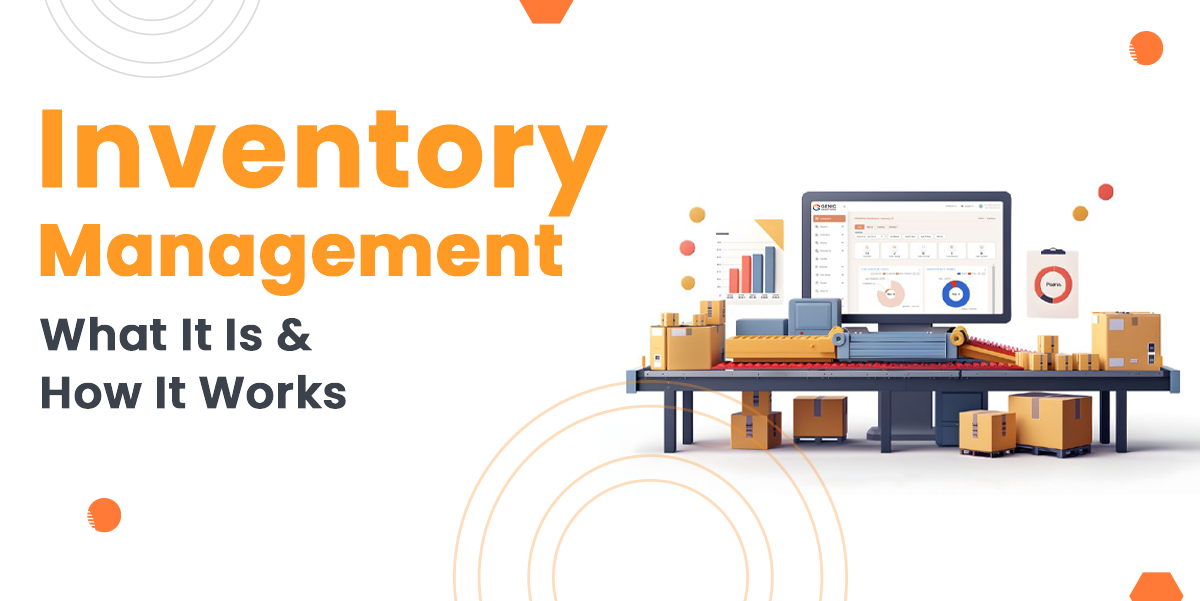
Inventory Management System software is a digital solution that is designed to help businesses track, manage, and handle inventory in real time. It replaces manual stock handling with automated processes, reducing errors, saving time and improving overall operational efficiency.
By centralising inventory data, IMS software ensures accurate stock visibility over different locations, supports faster order fulfilment and helps businesses to meet customer demand without overstocking or stock-outs.
The main purpose of inventory management software is to speed up day-to-day operations, help in decision-making, and maintain optimal stock levels while reducing costs. It allows businesses to respond quickly to market changes, improve supplier coordination, and enhance customer satisfaction.
In this guide, you will learn about what an inventory management system is, it works, and key features, along with major benefits businesses can utilise from using an inventory management system.
Build Custom Software That Fits Your Business
From CRM to inventory systems — we design solutions around your workflow, not the other way around.
What is Inventory Management System Software?
Inventory management software is a digital tool designed to automate the process of managing orders, organizing inventory, and more in real-time. Before the inventory management system software, the businesses had to manually count inventory items, which led to errors and inefficiencies. That’s why businesses are adopting IMS to achieve their daily operations effectively.
How Does an Inventory System Work?
An inventory system manages stock by storing all data in one central location and automating tasks as products move from suppliers to customers. Let’s understand how the Inventory Management System work in a step-by-step:
Step 1: Data Set Up and Entry
Each product is set up in the system with a unique identifier, such as a barcode, along with the key details including price, weight, supplier information, and warehouse location. Then the system starts populating the quantity of every item in the stock.
Step 2: Tracking and Monitoring
The system continuously monitors the movement of goods in real-time using various technologies.
- Barcode Scanning: Staff scan items when they are received, stored, picked or dispatched.
- RFID technology: Advanced systems use RFID tags to scan multiple items at once without direct contact.
- Automatic Updates: Every scan updates the centralised platform quickly, which keeps the stock level accurate across all locations.
Step 3: Automation and Alert
The software uses predefined rules to manage stock efficiently, which are:
- Low-Stock Alerts: When an item count reaches a defined point, the system automatically notifies the purchasing manager through email or dashboard alert.
- Automated Purchase Orders: Many systems can be configured to automatically generate and send purchase orders to the supplier when stock thresholds are met, which speeds up the replenishment process.
- Expiry or Batch Tracking: At the same time, for perishable items, the expiry and batch tracking monitors batch numbers and expiration dates by guiding staff to prioritise older stock first using the FIFO method and reducing waste.
Step 4: Order Management and Fulfillment
When there is a sale made either through an e-commerce website or a POS system integrated with the IMS:
- The IMS confirms the stock availability
- It generates a picking list and guides the warehouse staff to the bin location of the item.
- Once the order is packed, the system generates shipping labels and automatically deducts the sold items from the available inventory count.
Step 5: Reporting and Analytics
This step is most important in the IMS workflows where the system continuously collects data and transforms it into actionable insights:
- By analysing historical sales data, the IMS helps to predict future sales by preventing stockouts and overstocking.
- These reports highlight which products are top sellers and which are slow-moving, which helps inform marketing strategies.
Features of Inventory Management Software
Modern inventory software includes several must-have IMS modules or features. Let’s explore the must-have features of the Inventory Management System as defined below:
1. Multichannel Selling
The inventory management system allows you to sell and engage with customers over several platforms from a centralised system. This multichannel feature improves efficiency, accuracy and speed, which helps your business to run faster and in a more organized manner. With this feature, your system helps you to:
- Sell on multiple channels
- Manage orders centrally
- Sync inventory in real time
2. Order Fulfillment
Fulfill orders faster and more efficiently by automating the entire fulfillment process with clear workflow control. With the order fulfillment feature, help your software to process more orders on time and at lower costs while giving you better visibility. With this feature, your system will:
- Handle return orders easily
- Generate packing slips
- Create shipping labels
- Auto picking and sorting
3. Location Management
The location management feature gives you complete control over inventory stored across multiple locations and worldwide. Manage everything easily from one dashboard without complications. With this feature, you can:
- Set up multiple location categories
- Generate location-based reports
4. Stock Management
The features help you meet the customer demands on time, which allows you to adjust stock levels and move inventory between warehouses with confidence. With the feature, you can:
- Perform stock counts
- Make stock adjustments
- Transfer stock between locations
5. Reports
The report feature helps to monitor the cost of goods sold by creating customised reports efficiently. The reporting tool helps you to make informed decisions and improve overall business performance. The feature helps you in:
- Inventory movement reports
- Incoming stock reports
- Inventory detail reports
- Ageing reports
6. Warehouse Management
Warehouse management is a very important IMS modules that help to improve operations with advanced tools for managing stock, locations, and users. Whether setting up new warehouses or transferring inventory, the system ensures accuracy and efficiency. The feature helps in:
- Multi-warehouse setup
- Bin location management
- Location reports
- User access management
7. Inventory Management
The inventory management system helps to prevent stock mismatches and stockouts by offering centralised control, multi-warehouse support, and powerful reporting tools for smarter decision making. It helps in managing:
- Product listing
- Product details
- Centralised inventory control
Benefits of an Inventory System
An inventory system helps your business to stay flexible, efficient, and responsive according to the changing market conditions. Below are some key benefits of Inventory Management Systems:
1. Reduced stock-outs and overstock
Stock-out and excess inventory can create major challenges for a business, which leads to lost sales, unhappy customers, and wastage of resources. Sometimes holding too much stock can lead inefficient way of utilising cost, while having limited stock can lead to missed opportunities too.
But an effective inventory management system software balances stock levels, reducing load cost, which supports stronger overall financial performance.
2. Improved Inventory Accuracy
Accurate stock data is important for building an efficient supply chain. Nowadays, modern inventory management systems provide a clear and reliable view of stock levels, which helps businesses avoid costly under-ordering or over-ordering.
With accurate inventory records, companies can meet customer demand more effectively.
3. Better Relationship with Vendors and Suppliers
Inventory management also supports providing better insights, which help products to sell often and in what volumes.
This information helps businesses to plan purchases more effectively and use proven sales data to decide on better pricing and a stronger relationship with the vendors and suppliers.
4. Data-Based Decision Making
Sometimes buying stock without insight can result in the wastage of money. But with inventory software, you can analyse the sales trends and customer behaviour to support better purchasing decisions.
This ensures your investment in high-performing products and improves return on investment.
Conclusion
Overall, an Inventory Management System software plays a crucial role in helping businesses operate efficiently in today’s competitive market. By automating inventory processes, centralising data, and providing real-time visibility, the IMS software reduces errors, prevents stockouts, and improves order fulfilment.
Its advanced features support better planning, stronger supplier relationships, and data-driven decision-making. So, implementing an inventory management system enables businesses to control costs, enhance customer satisfaction, and achieve long-term operational success.
At Genic Solutions, we support your business with smart, scalable software that speeds up inventory and operations, boosts efficiency, and delivers real-time control to help you grow faster.