
Software development is the process of planning, designing, coding, testing, deploying, and maintaining computer programs that solve specific problems or meet user needs. It covers mobile apps, websites, enterprise systems, and AI tools, and usually follows a structured lifecycle (SDLC) so the software is reliable, secure, and scalable.
Key Takeaways-
- Software development turns a business problem into a working digital product, following a repeatable lifecycle from discovery to maintenance.
- Singapore’s high labour costs and Smart Nation push make automation and custom software a competitive necessity, not a luxury.
- Testing isn’t a final checkbox — it’s woven through every stage, and skipping it is the single costliest mistake businesses make.
- Custom software increasingly beats off-the-shelf tools once a business outgrows generic workflows in CRM, inventory, FSM, or delivery.
- AI is now embedded in both how software is built (coding assistants) and what it can do (chatbots, forecasting, predictive maintenance).
- Grants like PSG and EDG can offset a meaningful share of project cost, but eligibility rules must be checked before signing anything.
Build Custom Software That Fits Your Business
From CRM to inventory systems — we design solutions around your workflow, not the other way around.
What Does Software Development Actually Involve?
The construction of concrete bases requires architects to first develop family space usage plans, which they transform into construction blueprints that builders need before they can start their work, and the building must pass through multiple inspection phases that continue into extended maintenance periods. Software development follows a specific order, which starts with requirements gathering before designers create plans and programmers develop code that undergoes testing before launch and stays under maintenance. Skip a step — say, design or testing — and the “house” ends up with cracks that are expensive to fix later.
The work receives contributions from product owners who create building specifications, developers who build the code, designers who create user interfaces, and QA engineers who perform system verification before customers gain access to the system. The project team receives additional members, who include project managers, business analysts, and DevOps engineers who maintain system operations and process coordination after the system goes live.
Mini Glossary
| Term | Plain-language meaning |
| SDLC | Software Development Life Cycle — the stages a project moves through, from idea to retirement |
| MVP | Minimum Viable Product — the smallest working version that still delivers real value |
| API | A connector that lets two different software systems talk to each other |
| Front-end | Everything the user sees and clicks — screens, buttons, layouts |
| Back-end | The server, database, and logic running behind the scenes |
| DevOps | Practices that merge development and IT operations for faster, safer releases |
| Cloud | Renting computing power and storage over the internet instead of owning servers |
| SaaS | Software as a Service — software you subscribe to and access online, e.g., Xero |
| UI/UX | User Interface (how it looks) and User Experience (how it feels to use) |
| QA | Quality Assurance — the discipline of testing software before and after release |
Why Does Software Development Matter for Singapore Businesses?
Singapore’s Smart Nation initiative established digital capabilities as a fundamental requirement that businesses must have because customers, regulators, and competitors now expect all operations to run through digital systems. The high cost of labor allows manual operations through spreadsheets, paper job sheets, and WhatsApp sales tracking to maintain hidden expenses that software systems could eliminate. People who use mobile devices as their primary tool need instant access to booking systems, tracking information, and customer service support through their phones. Research from IMDA shows that businesses that adopt digital tools will increase their revenue more than businesses that do not adopt digital tools. Companies now view software investment as essential infrastructure because businesses recognize its value more than they did before.
What Are the Benefits of Software Development?
- Lower operating costs by automating manual, repetitive tasks
- Fewer errors than manual data entry or paper-based processes
- Better customer experience through faster response times and self-service
- Data-driven decisions from dashboards and real-time reporting
- Scalability without headcount — handle more volume without proportionally more staff
- Differentiation from competitors still running on generic tools or spreadsheets
- IP ownership of a custom-built asset, rather than renting someone else’s platform
- Connected systems where sales, operations, and finance data flow together instead of sitting in silos
How Does the Software Development Process Work?
Understanding the step-by-step software development process helps Singapore businesses plan timelines, budgets, and milestones effectively:
- Planning and feasibility — scoping, budgeting, and checking technical viability
- UI/UX design and prototyping — wireframes and clickable mockups before code is written
- Architecture and tech stack — choosing the technical foundation the system will run on
- Development (sprints) — building the software in short, iterative cycles
- Testing and QA — verifying functionality, security, and performance
- Deployment — releasing the software into a live environment
- Maintenance and improvement — fixing issues, adding features, and keeping the system current
What is Software Testing and Why Does It Matter?
Software testing is the systematic process of checking that an application behaves as intended — functionally, securely, and under real-world conditions — before and after it reaches users, catching defects while they’re still cheap and fast to fix.
Why it matters: a bug caught in development costs a fraction of one discovered post-launch, when it can mean lost transactions, refunds, and reputational damage on top of the fix itself. In Singapore specifically, systems handling personal data must hold up under PDPA obligations, and with customers accessing everything from a wide range of phones and browsers, device compatibility failures are a common — and avoidable — source of complaints.
Types of testing
| Type | What it checks |
| Unit | Individual functions or components in isolation |
| Integration | Whether combined modules work correctly together |
| System | The complete, end-to-end application |
| UAT (User Acceptance Testing) | Whether real users can achieve their goals with it |
| Regression | That new changes haven’t broken existing features |
| Performance and load | Speed and stability under heavy usage |
| Security and penetration | Vulnerabilities an attacker could exploit |
| Usability | How intuitive and easy the software is to use |
| Compatibility | Behaviour across devices, browsers, and OS versions |
| API | Correctness and reliability of system-to-system connections |
Manual vs automated testing
| Manual Testing | Automated Testing | |
| Best for | Exploratory, usability, UAT | Repetitive, regression, high-volume tests |
| Speed | Slower | Fast, repeatable |
| Upfront cost | Lower | Higher (script setup) |
| Long-term cost | Rises with repetition | Falls with reuse |
| Human judgement | Strong | Limited |
Shift-left and continuous testing: Modern teams conduct their testing activities during the early project stages through shift-left testing instead of waiting until the final phase. The automated test suites run through CI/CD pipelines to verify every code alteration before it becomes part of the main branch, which results in fast detection of problems that used to take weeks to find.
How AI is changing testing: AI has transformed testing through its ability to produce test cases from requirements, through its creation of self-healing scripts that modify themselves when the UI undergoes changes to prevent script failures, and through its use of predictive models that identify potentially buggy code areas before testing begins.
Pre-launch testing checklist
- Core user flows tested end-to-end
- Payment and checkout tested with real scenarios
- Data validation on all forms
- Load testing at expected peak traffic
- Security scan for common vulnerabilities
- Cross-browser and cross-device checks
- API integrations verified with real data
- Backup and rollback plan confirmed
- PDPA-relevant data flows reviewed
- UAT sign-off from actual business users
- Error logging and monitoring active
- Regression suite run one final time
Popular tools: Selenium, Cypress, Playwright, Appium, JMeter, and Postman.
Software Development Methodologies: Agile vs Waterfall vs DevOps
| Methodology | How it works | Best for |
| Agile | Iterative sprints with continuous feedback | Evolving requirements, fast-moving projects |
| Scrum | Agile framework with fixed sprints and defined roles | Teams needing structure within Agile |
| Kanban | Continuous flow, visualised on a board | Ongoing support and maintenance work |
| Waterfall | Sequential phases, each completed before the next | Fixed-scope projects with stable requirements |
| DevOps | Development and operations merged for continuous delivery | Frequent releases, high reliability needs |
Verdict for SMEs: most Singapore SMEs are best served by Agile or Scrum, since requirements usually evolve as the business learns what actually works — Waterfall tends to suit only tightly regulated, fixed-scope projects.
What Are the Types of Software Development?
Different types of software development address specific technical needs and business functions: front-end (what users see), back-end (server logic and databases), full-stack (both combined), mobile (iOS/Android apps), web (browser-based applications), cloud (systems built to run on cloud infrastructure), low-code/no-code (visual, minimal-coding platforms), embedded/IoT (software running on physical devices and sensors), API and integration (connecting separate systems), and game development. Most Singapore SME projects fall under web, mobile, and cloud development, often combined with API integration work.
What Are the Different Types of Software and Their Uses?
| Type | What it does | Examples | Business use |
| System software | Runs and manages hardware | Windows, Linux, iOS | Underlying platform for all other software |
| Application software | Performs specific user tasks | Word processors, browsers | Day-to-day productivity |
| Enterprise software | Manages large-scale business operations | ERP, HRMS | Company-wide process management |
| SaaS | Subscription-based cloud software | Xero, HubSpot | Quick-to-deploy business tools |
| Programming tools | Help developers build software | VS Code, Git | Software development itself |
| Mobile apps | Software built for smartphones | Grab, banking apps | Customer-facing, on-the-go access |
Business Software Solutions Singapore Companies Commonly Build
| Software | What it does | Best for | Key outcome |
| CRM | Manages leads, pipeline, and follow-ups | Sales-driven businesses | More closed deals, less manual chasing |
| FSM | Schedules and dispatches field jobs | Service and maintenance firms | Faster jobs, fewer missed appointments |
| Inventory Management | Tracks stock across locations | Retail, F&B, distribution | Fewer stockouts, less shrinkage |
| Delivery Management | Plans routes and tracks drivers | Logistics, last-mile delivery | Lower delivery costs, happier customers |
| Asset Management | Registers and maintains company assets | Facilities, equipment-heavy firms | Longer asset life, fewer breakdowns |
| AI Custom Software | Applies AI to specific business problems | Businesses with unique, complex needs | Automation generic tools can’t offer |
| AI Chatbots | Automates conversations and simple actions | High enquiry-volume businesses | Faster response, lower support cost |
CRM: tracks sales leads through every stage of the sales process while functioning with WhatsApp and email platforms, and it runs automated follow-up procedures and provides management teams with instant dashboard displays about their current sales opportunities.
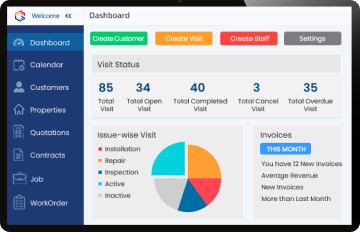
Field Service Management: operates as a job scheduling and dispatch system that provides technicians with a mobile application; it tracks their GPS location while transforming paper job sheets into digital versions, and it records electronic signatures, allows technicians to create invoices at customer locations, and handles ongoing maintenance service contracts.
Inventory Management: The system provides users with instant access to their inventory levels, allows them to scan barcodes and QR codes, supports operations across multiple store locations, sends notifications when stock levels become dangerously low and it tracks product batches together with their expiration dates, and connects with both point-of-sale systems and accounting software.
Delivery Management: creates better delivery paths that drivers can access through their personal application and customers can watch their deliveries in real time; the system stores delivery confirmation records, and it allows customers to choose delivery times and handles payment processing for cash-on-delivery shipments.
Asset Management: keeps an asset register with QR tags, creates schedules for preventive maintenance, records all check-in and check-out activities, monitors asset value reduction through depreciation, and sends out notifications for warranty expiration.
AI Custom Software: provides demand forecasting through its automated document and invoice data extraction, which enables smart scheduling and maintenance failure prediction before breakdowns happen, and it supports autonomous AI agent operation—custom AI systems outshine generic tools when they need to solve specific workflows that standard logic cannot handle.
| Rule-based chatbot | AI chatbot | |
| Understands intent | Only matches set keywords | Understands natural language |
| Handles new questions | Poorly | Well |
| Setup effort | Lower | Higher |
| Can take actions (e.g. check stock) | Limited, scripted only | Yes, via system integration |
A chatbot becomes far more useful once it’s connected to the CRM and inventory system directly — it can then check real stock levels, log a lead automatically, or update a customer’s order status, rather than just answering FAQs.
How these systems work together: a customer message to the chatbot can create a lead in the CRM, which triggers a job in FSM, which pulls stock from inventory, hands off to delivery management, and — for equipment installed on-site — feeds into asset management for ongoing maintenance. One connected chain, instead of six disconnected tools.
Who’s on a Software Development Team?
A typical project team includes a product owner (defines priorities), project manager (keeps delivery on track), business analyst (translates business needs into requirements), UI/UX designer (shapes the experience), front-end and back-end developers (build the application), QA engineer (tests it), and a DevOps engineer (manages deployment and infrastructure).
Popular Programming Languages and Tech Stacks
| Category | Common Choices |
| Front-end | React |
| Back-end | Node.js, Python, Java, .NET, Laravel |
| Mobile | Flutter, React Native |
| Cloud infrastructure | AWS, Azure, GCP |
The right stack depends on the project’s scale, team expertise, and long-term maintenance needs rather than any single “best” choice.
Custom Software Development vs Off-the-Shelf Software
| Custom Software | Off-the-Shelf Software | |
| Fit to workflow | Built around your process | You adapt to its process |
| Upfront cost | Higher | Lower |
| Ongoing licensing | None (you own it) | Recurring subscription |
| Scalability | Fully flexible | Limited by vendor’s roadmap |
| Time to launch | Longer | Immediate |
Custom vs off-the-shelf CRM
| Custom CRM | Off-the-shelf CRM (e.g., HubSpot) | |
| Setup speed | Slower | Fast |
| Fits unique sales process | Fully | Only within its templates |
| Cost over 3+ years | Can be lower | Recurring per-seat fees add up |
| Integration depth | Unlimited | Limited to available connectors |
When custom beats SaaS
| Solution | Custom wins when… |
| FSM | Job types, pricing, or compliance needs are non-standard |
| Inventory | Multi-outlet, batch/expiry, or industry-specific rules are complex |
| Delivery | Route logic or COD handling doesn’t fit generic apps |
| Asset Management | Assets need tracking rules no generic tool supports |
Build vs Buy Checklist: does an off-the-shelf tool cover 80%+ of your workflow without workarounds? Will you outgrow it within 2 years? Does your process give you a competitive edge worth protecting as IP? If the answers lean toward “no,” “yes,” and “yes,” custom is usually the better long-term bet.
Hybrid Option: many businesses start on SaaS tools and later commission custom software only for the specific workflows the generic tool can’t handle — keeping cost down early while still solving the real bottleneck.
In-House vs Outsourcing vs Offshore Development
Outsourcing custom software development to local agency partners gives Singapore SMEs high execution control without fixed internal engineering overhead.
| In-House | Outsourcing (local) | Offshore | |
| Cost | Highest | Moderate | Lowest |
| Communication ease | Easiest | Easy, same time zone | Harder, time zone gaps |
| Control | Full | High | Lower |
| Best for | Core, long-term products | Most SME projects | Budget-constrained, well-scoped work |
Engagement models: fixed price (set scope, set cost — best for well-defined projects), time and materials (pay for actual hours — best for evolving scope), and dedicated team (a team working exclusively on your product — best for long-term, ongoing development).
How Is AI Changing Software Development?
AI coding assistants operate at speeds that enable them to write code and perform code reviews and code refactoring operations that would take human developers multiple weeks to complete in just a few days. The testing process involves AI systems that create test cases and forecast the locations where bugs most likely will appear. Business software systems now receive AI technology as developers add this technology to their existing systems. The CRM system contains an AI assistant that creates follow-up messages, and the inventory system includes demand forecasting capabilities; delivery platforms use route optimization, and FSM tools implement smart job scheduling, while AI chatbots operate to handle basic customer service interactions. AI systems have not reached the point where they can handle ambiguous requirement decisions, architectural choices, and final product accountability, which skilled teams maintain.
Security and Compliance for Software in Singapore
Organizations need to follow PDPA regulations, which define their duties to collect, protect, and handle personal data. The MAS Technology Risk Management (TRM) guidelines apply to Fintech operations and payment-related software systems. The CSA Cyber Essentials and Cyber Trust marks provide businesses with a path to achieve official certification, which demonstrates their basic or advanced cybersecurity capabilities. Software developers who want to build secure software need to include encryption, access controls, and audit logging during their initial design process instead of adding these features during development. Chatbots require special focus because their conversations include both personal information and transaction details, which need to follow the same PDPA rules that apply to all customer-facing systems.
How Much Does Software Development Cost in Singapore?
Estimating total software development cost depends heavily on functionality, platform integrations, security requirements, and team scope:
| Project type | Complexity | Indicative cost (S$) | Timeline |
| Website | Low–Medium | 3,000 – 15,000 | 2–8 weeks |
| Web app | Medium | 15,000 – 60,000 | 2–4 months |
| Mobile app | Medium–High | 25,000 – 100,000+ | 3–6 months |
| Custom CRM | Medium | 20,000 – 70,000 | 2–4 months |
| FSM with mobile app | Medium–High | 30,000 – 90,000 | 3–5 months |
| Inventory system | Medium | 20,000 – 60,000 | 2–4 months |
| Delivery management with driver app | Medium–High | 30,000 – 100,000 | 3–5 months |
| Asset management | Low–Medium | 15,000 – 50,000 | 2–3 months |
| AI chatbot (rule-based) | Low | 5,000 – 20,000 | 3–6 weeks |
| AI chatbot (AI-driven) | Medium–High | 20,000 – 60,000 | 2–4 months |
| AI custom software | High | 40,000 – 200,000+ | 4–9 months |
| SaaS platform | High | 60,000 – 250,000+ | 5–12 months |
Cost drivers: number of user roles, integrations required, design complexity, platform count (web/iOS/Android), and compliance requirements.
Hidden costs: ongoing hosting, third-party API fees, app store fees, post-launch support retainers, and future scaling work.
QA and testing as a share of the budget: industry practice typically allocates 15–25% of total project cost to testing and QA — a figure that’s easy to cut under budget pressure, but doing so is consistently one of the costliest mistakes businesses make.
How Long Does Software Development Take?
| Project type | Typical timeline |
| Simple website | 2–8 weeks |
| Web or mobile app (MVP) | 2–4 months |
| Full-featured business system (CRM, FSM, inventory) | 3–6 months |
| Complex AI or enterprise platform | 6–12+ months |
Tip: launching with a lean MVP first, then expanding based on real usage, consistently gets working software into users’ hands faster than trying to build every feature before launch.
Government Grants for Software Development in Singapore
| PSG (Productivity Solutions Grant) | EDG (Enterprise Development Grant) | |
| Support level | Up to 50% (varies by scheme) | Up to 50% (varies by project) |
| Project type | Pre-approved, off-the-shelf solutions | Bespoke, larger-scale transformation projects |
| Application complexity | Simpler | More involved, needs a detailed proposal |
| Typical fit | CRM, inventory, basic digital tools | Custom software, larger AI or process overhauls |
The rule to apply before signing or paying: grant applications generally must be approved before any contract is signed or payment made — applying retroactively after work has started typically disqualifies the claim.
Standardised solutions like off-the-shelf CRM or inventory tools often fall under PSG’s pre-approved vendor list, while genuinely custom builds — bespoke FSM systems, AI software, or larger integrations — typically go through EDG’s bespoke project route instead.
Grant terms, caps, and eligible categories change periodically, so always confirm current details on the official EnterpriseSG grant portal before committing to a project.
Software Development Use Cases by Industry in Singapore
- F&B: inventory and POS integration to manage ingredient stock and reduce wastage
- Retail and e-commerce: inventory management across multiple outlets and online channels
- Logistics: delivery management with route optimisation and live tracking
- Healthcare: appointment and patient management systems with strict PDPA controls
- Finance: custom platforms built to MAS TRM compliance standards
- Education: learning management and student administration systems
- Construction: asset management for equipment and machinery
- Facilities and field services (e.g., aircon servicing, cleaning firms): FSM software for job scheduling, technician dispatch, and digital job sheets
Software Development Trends to Watch
Staying ahead of modern software development trends helps businesses build systems that remain relevant, secure, and adaptable:
AI systems that perform multiple task steps independently operate as autonomous agents. Low-code development tools enable developers to create software applications at an accelerated speed by using basic coding techniques, which speed up the delivery process. Cloud-native architecture functions as the standard operating system for modern systems instead of operating as an uncommon configuration. The cybersecurity-first development approach requires organizations to establish security measures as their primary focus during all development stages. AI testing systems operate through artificial intelligence, which autonomously develops test scenarios to support quality assurance operations. Super apps unite different
Common Software Development Mistakes (and How to Avoid Them)
- Unclear requirements — invest time in discovery before development starts
- Scope creep — lock a defined MVP scope and manage additions as a formal change process
- Choosing on price alone — the cheapest quote often means corners cut on testing or architecture
- Skipping or rushing QA — this is consistently the costliest shortcut, surfacing as expensive post-launch bugs and lost user trust
- No maintenance plan — software degrades without updates, security patches, and monitoring
- Ignoring user feedback — the fastest way to build features nobody actually uses
How to Choose Software Development Companies in Singapore
Evaluating potential software development companies in Singapore requires looking beyond price to review industry experience, technical frameworks, and post-launch support, a clear development process, a defined QA and testing process (ask them to describe it, not just confirm it exists), post-launch support terms, and clear IP ownership terms in the contract.
Ten questions to ask before signing
- Can you show similar projects you’ve delivered?
- What does your testing process actually involve?
- Who owns the source code after payment?
- What happens if requirements change mid-project?
- What’s included in post-launch support?
- How do you handle security and data protection?
- What’s your typical communication cadence?
- What happens if a deadline is missed?
- Can we speak to a past client?
- What’s not included in the quoted price?
Red flags: vague quotes with no breakdown, no mention of testing at all, reluctance to discuss IP ownership, and no clear point of contact after launch.
Source code and IP ownership should be explicitly stated in the contract — without it in writing, businesses risk not fully owning software they paid to build.
What Happens After Launch? Maintenance and Support
Post-launch work includes ongoing bug fixes, regression testing to ensure every update doesn’t break existing features, SLAs defining response times for issues, monitoring to catch problems before users report them, scaling as usage grows, and a roadmap for future features. Software isn’t a one-time purchase — it needs the same upkeep as any other business-critical system.
Real Software Built for Singapore Businesses (Genic Solutions Showcase)
- Problem: Leads were tracked across spreadsheets and WhatsApp, with follow-ups regularly missed.
- Solution: Genic Solutions built a custom CRM with automated follow-up reminders and a live sales dashboard.
- Features: pipeline tracking, WhatsApp integration, automated reminders, management dashboards.
- Result: faster follow-ups and clearer visibility into deal status across the sales team. Client quote: “We finally know exactly where every lead stands.”
- Problem: Paper job sheets caused delays, disputes, and lost records for a field service business.
- Solution: A mobile FSM app for technicians, replacing paper entirely.
- Features: job dispatch, GPS tracking, digital job sheets, e-signatures, on-site invoicing.
- Result: faster job completion and fewer disputes over completed work.
Inventory Software & Delivery Software
- Problem: A multi-outlet retailer struggled with stock visibility and inefficient delivery routes.
- Solution: Connected inventory and delivery management systems.
- Features: barcode scanning, low-stock alerts, route optimisation, live customer tracking.
- Result: fewer stockouts and lower delivery costs.
Asset Management & AI Custom Software
- Problem: Equipment maintenance was reactive, leading to unplanned downtime.
- Solution: A QR-tagged asset register paired with predictive maintenance powered by custom AI.
- Features: preventive maintenance scheduling, depreciation tracking, predictive failure alerts.
- Result: reduced unplanned downtime and extended equipment lifespan.
AI Chatbot
- Problem: A high enquiry-volume business couldn’t respond fast enough during peak hours.
- Solution: An AI chatbot connected directly to the CRM and inventory system.
- Features: natural-language support, automatic lead capture, real-time stock checks.
- Result: faster response times and enquiries converting into leads automatically.
Conclusion
Software development is no longer optional infrastructure for Singapore businesses — it’s the difference between scaling efficiently and being squeezed by rising costs and faster-moving competitors. From CRM and FSM to AI-powered chatbots and custom platforms, the right software pays for itself by removing the manual work holding growth back. Genic Solutions has helped Singapore businesses across F&B, logistics, retail, and field services build exactly these systems — from scoping through testing to post-launch support.