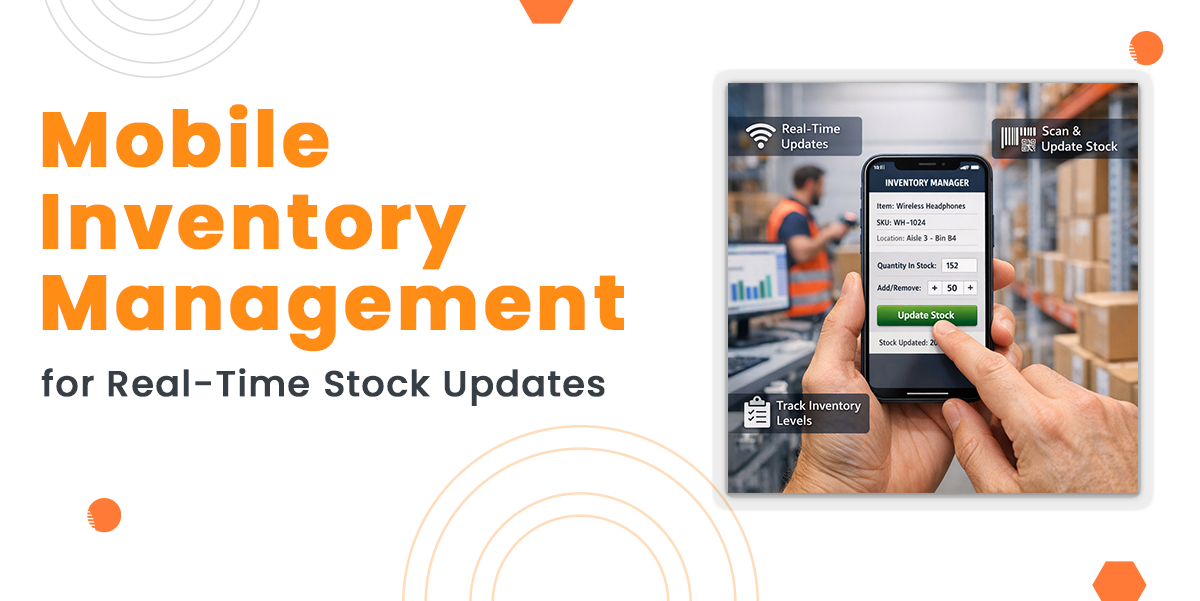
Keeping track of stock is essential in both the online and offline world, since stock is continually changing as well as evolving. Traditional methods usually result in missed opportunities, delays, and mistakes. And that is exactly where mobile inventory management is needed. Businesses are able to track stock from any device, and in real time.
A phone inventory management system enables quicker updates, fewer errors as well as much better communication across teams. Real-time inventory access provides you with the flexibility as well as control you require to meet demand, whether you’re operating a warehouse or delivering online orders.
This guide is created to make you aware of the several advantages of mobile inventory management software and how it will help your company expand, improve efficiency, and enhance stock visibility.
Build Custom Software That Fits Your Business
From CRM to inventory systems — we design solutions around your workflow, not the other way around.
What is Mobile Inventory Management?
Mobile inventory management is the usage of mobile devices like tablets or smartphones to monitor, control and update inventory information.
This could be achieved by utilising a mobile inventory management app or a specific mobile inventory management system that is integrated with your main operations.
Warehouse managers, along with staff members, can work from any place, or even remotely, instead of being tied to a desk.
Mobile devices are able to check stock levels & scan barcodes, and also provide you with real-time access to the information you care about.
Why Real-Time Stock Updates Matter
Let’s face it, stock problems are expensive. Over-ordering leads to excess inventory, while under-ordering causes stockouts and missed sales. Delays in updating stock data create confusion, errors, and unhappy customers.
A real-time inventory system removes this risk. When every stock movement is recorded instantly, you always know what you have, where it is, and how much you need. This level of control boosts confidence and reduces waste.
Key Features of a Mobile Inventory Management System
A strong phone inventory management system provides more than just access to stock numbers. Here’s what to look for:
1. Real-Time Inventory Tracking
This is the foundation of all this. When items are received, moved or even sent, the stock levels automatically update. This will make sure your data is constantly current.
You do not need to depend on paper logs or batch updates at the end of the day. This way, you save time, and you also prevent errors.
2. Barcode as well as QR Code Scanning
Mobile phones may utilize built-in cameras or scanners to scan product codes. This accelerates the process of manual entry and improves the precision.
Whether you are logging incoming shipments or even selecting orders, scanning is faster as well as less error-prone compared to typing.
3. Inventory Movement Tracking
It is not simply about knowing what is in stock – it is additionally about knowing where it is going. Keeping track of the movement of items from one place to the next with a mobile device.
This covers everything from internal transfers to damaged items as well as return shipping.
4. SKU Lookup and Product Info
Need to verify information of a particular item? You are able to grab SKU-level info easily and quickly with a mobile phone. This includes prices, quantity, and product history.
This is particularly helpful in hectic factories or shop floors where quick answers are always required.
5. Reporting and Forecasting Tools
The best mobile inventory management program consists of Tools for submitting reports as well as Forecasting. It may also provide you with an idea of market trends, slow sellers, and quick-moving items.
You can enhance efficiency, bring down costs, and plan future orders using this data.
Benefits of Mobile Inventory Management for Real-Time Stock Control
Let’s take a closer look at the benefits of a real-time inventory system as defined below:
1. Instant access to Data
With mobile inventory management software, warehouse staff members are able to obtain real-time updates without going to a checkpoint. This implies quicker response times as well as quicker decisions.
Real-time access helps to determine low-stock items early on, steer clear of overstocking and lessen delays in fulfilment.
2. Enhanced Accuracy
Manual data entry is sluggish and susceptible to mistakes. It is a risk that may be avoided by utilizing mobile scanning and instant updates. Staff no longer have to jot things down or even attempt to recall details later on.
This leads to smoother operations, reduced costs and cleaner data.
3. Better Communication Between Teams
When everybody has access to the same real-time data, coordination gets much easier. All of the teams in the sales, warehouse & procurement are armed with up-to-date and accurate information.
This eliminates back and forth between stock levels as well as order status, and also makes communication better.
4. Time Savings
Every moment counts in a busy warehouse. Workers are able to rapidly scan, examine and upgrade inventory using mobile access.
This will lessen the time it takes for inventory takes, for getting orders, as well as for replenishing.
5. Supports Remote Management
Many business owners or managers are not constantly on-site. They are able to check their inventory from any place, such as their house, using a mobile inventory management app, whether they are at a supplier meeting or at a convention.
The decision makers enjoy much more control and a much better sense of peace of mind due to this flexibility.
Also Read: Beginner’s Guide to Inventory Management (2026 Edition)
Choosing the Right Mobile Inventory Management System
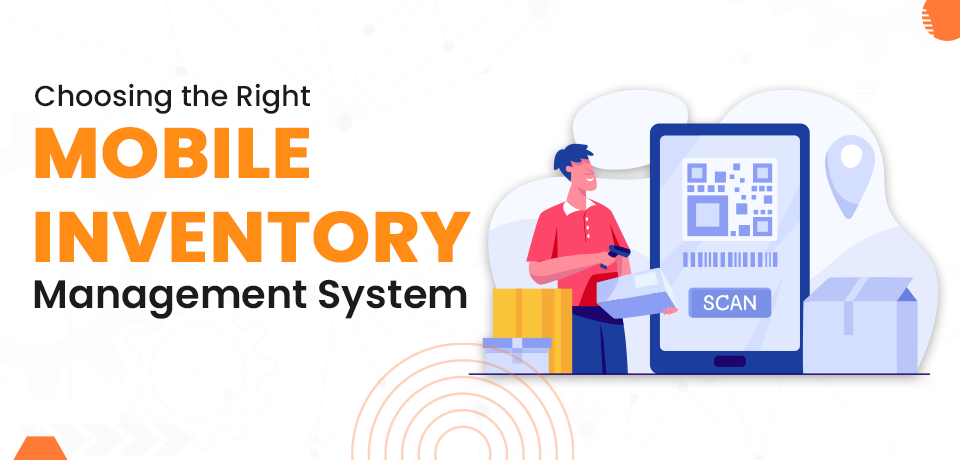
When selecting a mobile-oriented stock inventory management system, consider your current needs and how your business may grow. Here are some tips:
1. Look for Scalability
Choose a system that grows with your business. Can it handle more products, users, or sales channels as you expand?
2. Focus on Ease of Use
Your team needs to use it every day. Look for clean layouts, simple navigation, and clear instructions. The faster your staff can learn it, the quicker you’ll see results.
3. Prioritise Compatibility
Make sure the system works with your existing tools. Many businesses already use inventory management software, and your mobile system should connect smoothly.
If your tools can’t “talk” to each other, you’ll waste time switching between systems.
How to Implement a Mobile Inventory Management System
Switching to mobile doesn’t need to be hard. Follow these steps to get started:
Step 1: Review Your Current Process
Understand how you’re currently managing stock. What’s working? What’s not? This will help you define your goals and requirements.
Step 2: Train Your Team
Change only works when people understand it. Offer clear training so your team knows how to use the system and why it matters.
Keep it simple. Focus on core tasks like scanning, stock checks, and order updates.
Step 3: Start Small
Try mobile inventory tools in one area—maybe just for incoming stock or order picking. Once it’s working well, expand to other tasks.
Step 4: Monitor and Adjust
Check your data. Are you seeing fewer errors? Is the stock moving faster? Use your system’s reports to track improvements and make tweaks as needed.
Overcoming Common Challenges
Like any system change, moving to mobile has a few hurdles. Here’s how to handle them:
Resistance to Change
Some workers may be used to paper systems or old routines. Explain the benefits and provide hands-on training. Show how mobile tools make their jobs easier, not harder.
Device Limitations
Make sure your devices are up to the task. Phones or tablets should have decent battery life, strong Wi-Fi, and good cameras for scanning.
You don’t need top-end tech—just reliable tools that work when needed.
Data Accuracy
The system is only as good as the data it receives. Make it clear that accurate scanning and logging are part of the job. The fewer shortcuts taken, the better your results will be.
The Long-Term Value of Real-Time Inventory
By using a mobile inventory management software, businesses unlock real value beyond just convenience. With real-time stock updates, you get a better handle on every part of your inventory, like what’s coming in, what’s going out, and what needs to be reordered.
This isn’t just about efficiency, as it’s about making better decisions every day. When your stock data is accurate and up to date, you can:
- Order the right products at the right time
- Meet customer expectations faster
- Reduce wasted space and money
- Scale your business with confidence
Read Also: Best Inventory Management Software Companies in Singapore
Final Thoughts
Mobile inventory management has moved from being a “nice-to-have” to a necessity in modern business. Real-time stock updates reduce errors, speed up operations, and give you the confidence to make better decisions.
A strong inventory management mobile app helps you track, manage, and move stock faster without relying on manual logs or waiting for end-of-day reports. The benefits of a real-time inventory system go far beyond convenience. It saves time, cuts costs, and strengthens your supply chain from the inside out.
Whether you run a warehouse, an online shop, or a growing retail business, mobile tools give you the control you need. Now is the time to move away from slow, outdated methods and embrace a faster, simpler way to manage stock on the go.